Do not let your saved links go to waste
Most apps only store links. Open Later makes sure you actually look at them, at a time you chose.
Two taps to save
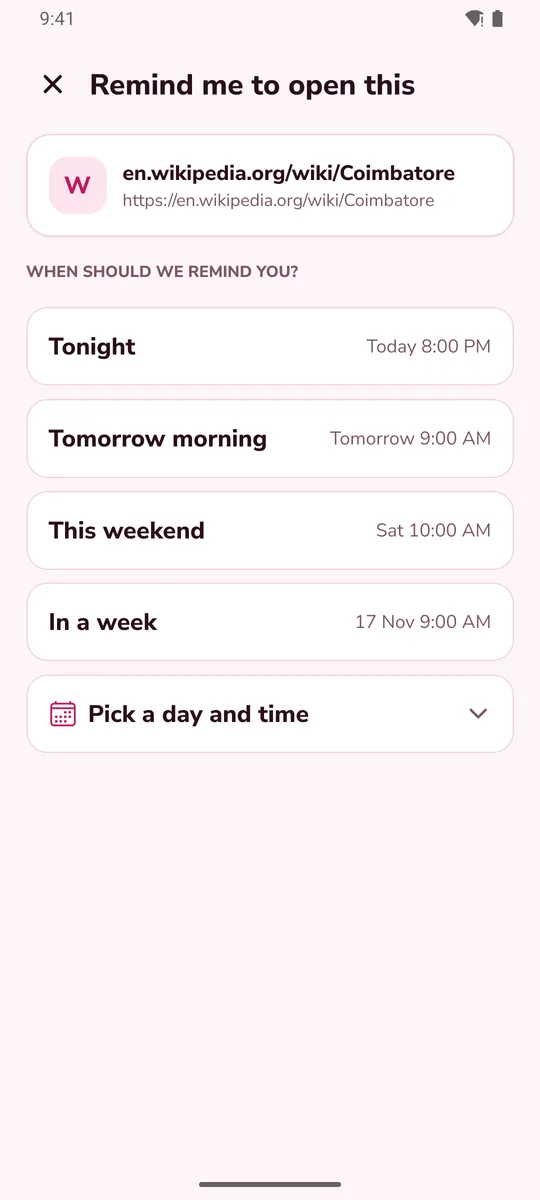
Share a link to Open Later, tap Tonight, Tomorrow morning, This weekend or In a week. Done. You can also pick your own date.
A reminder that opens it
At the time you chose, a notification brings the link back. Tap it and the link opens. Buttons let you snooze to tomorrow or mark it done.
Titles and pictures
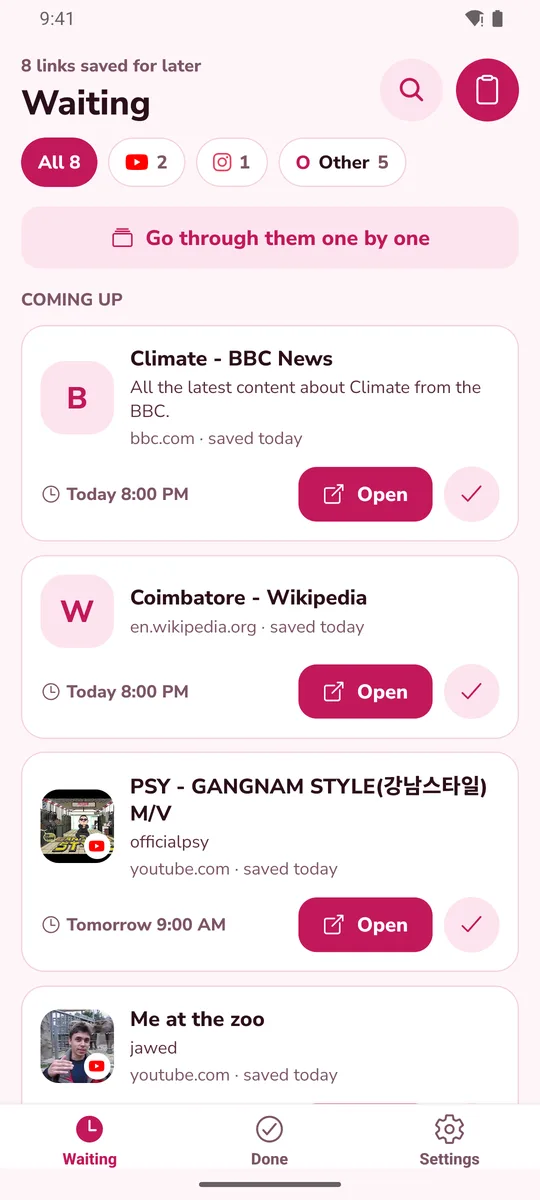
Links show the page title, a picture and a short description, so you remember why you saved them.
Grouped by site
Filter by where the link came from, with the sites you use most shown first. Add notes and tags, and search them all.
Home-screen widget
See your next links on the home screen. Tap one to open it and tick it off.
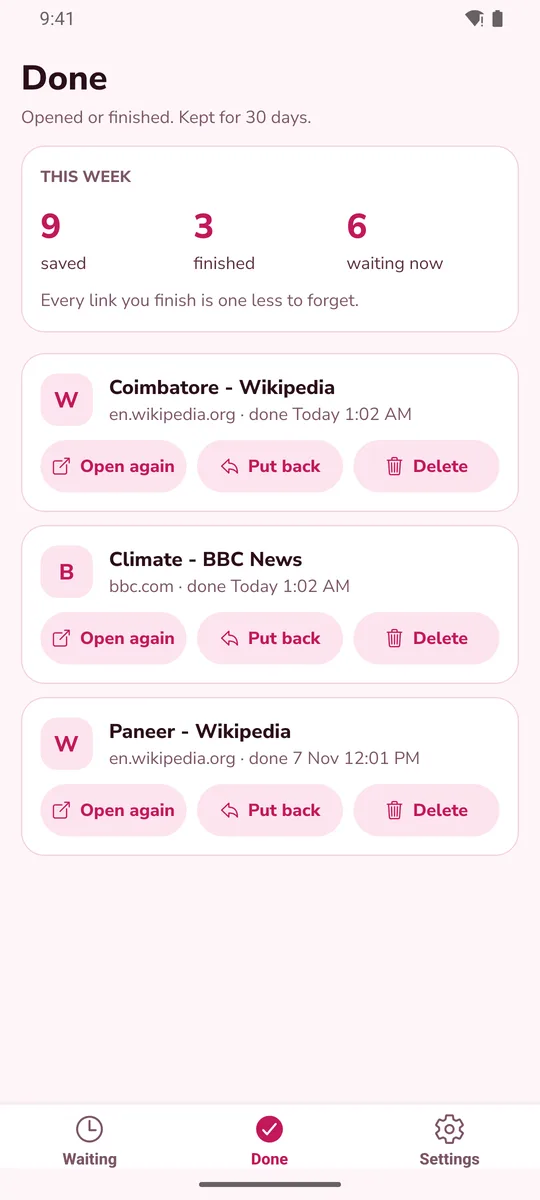
A weekly recap
See how many links you saved and finished this week, and how many are still waiting.
How it works
1. Share
In any app, tap Share and choose Open Later.
2. Pick a time
Tonight, tomorrow morning, this weekend, in a week, or a date you choose.
3. Open it
Get a reminder at that time. Tap to open the link, or snooze it.
Questions
Does Open Later read my Instagram saved list or my accounts?
No. It only receives the link you choose to share, and it only opens that link. It does not read your other apps or accounts.
How does it show a title and picture?
When you save a link, the app asks that website once for its title, picture and description. You can turn this off in Settings, Link previews. Some sites, such as Instagram and Facebook, do not give a preview, so those links show the site icon instead.
Does it work offline?
Your list and reminders work without internet. Internet is used to fetch a preview when you save a link, to open a link, and to show ads.
A reminder came late or did not come. What should I check?
Open your phone's Settings, Apps, Open Later, and check that notifications are allowed. Some phone brands stop background apps to save battery, so also set the app's battery use to unrestricted. Write to us and tell us your phone model if it still fails.
I saved many links for the same day. Will I get lots of notifications?
No. When more than 3 links are due on one day, you get a single summary notification instead.
Can I hide what the link is in notifications?
Yes. Turn on "Hide link details" in Settings and notifications show only that a link is waiting.
How do I keep my links if I change phones?
In Settings, choose Share a backup, save the text, and restore it on the new phone. The backup contains your links and notes, so keep it private.
Does it work on iPhone?
Not yet. Open Later is for Android for now.
Is it free? Is my data safe?
Yes, it is free and supported by a banner ad. Read the privacy policy.
Is it connected to Instagram, YouTube or any other app?
No. Open Later is made by Oneplexo Software Solutions and is not affiliated with any app or website whose links you save. Site names and icons are used only to show where a link came from.