Everything a photo upload asks for
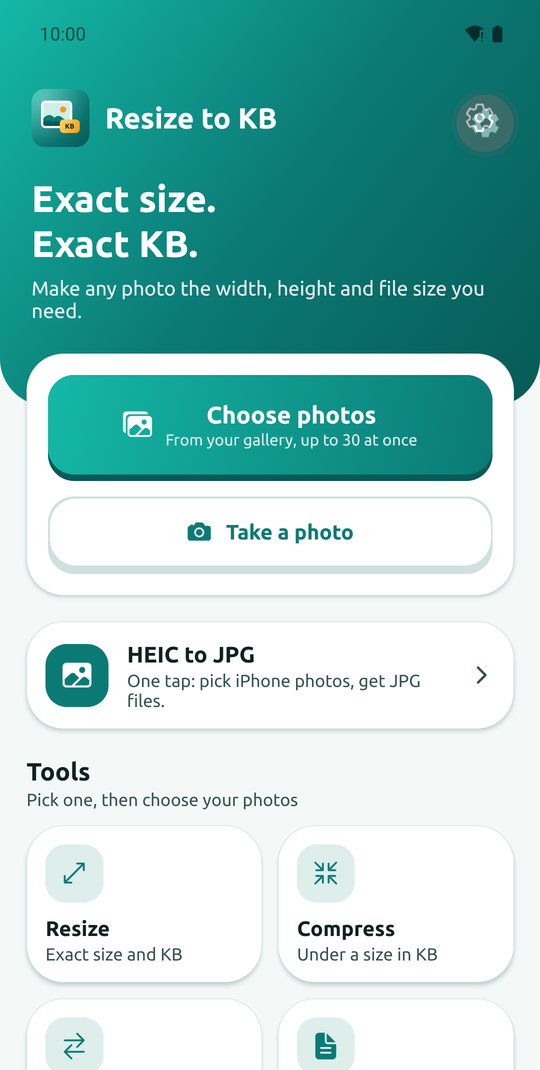
Websites and forms ask for photos of a certain size and weight. This app gets you there in a few taps.
Exact dimensions
Type a width and height in pixels, millimetres, centimetres or inches. We work out the pixels for you.
Exact file size
Say "under 100 KB" (or a range like 20 to 50 KB) and the app finds the sharpest picture that fits.
Quick presets
Passport 35 × 45 mm, WhatsApp profile, Instagram post, "under 200 KB" and more. A preset only fills in the boxes.
Compress
Make a big photo small enough to email or upload, keeping it as sharp as possible.
HEIC to JPG, and more
Turn iPhone (HEIC) photos into JPG in one tap, or convert between HEIC, JPG, PNG and WebP.
Photos to PDF
Put several photos into one PDF, in the order you choose, on A4 or Letter pages.
Questions
Are my photos uploaded anywhere?
No. Photos are resized on your phone and are never sent to us or anyone else. The app works without internet; a connection is only used to show ads.
Is it free?
Yes. The app is supported by ads: a small banner and a short ad now and then after you save or share a result. There is no sign-up.
Can it always reach my file size?
Almost always. If a size is simply too small for the picture size you asked for, the app tells you and shows the smallest result it could make, so you can pick a smaller picture size or a bigger limit.
Can it convert HEIC (iPhone) photos to JPG?
Yes. Tap "HEIC to JPG" on the home screen, pick the photos, and you get ordinary JPG files that any website accepts. You can also choose PNG or WebP with the Convert tool. It works offline, and the photos stay on your phone.
Does it tell me what size my form needs?
No. Always check the exact size and file type on the website or notice you are submitting to, then type those numbers in. We cannot promise that a particular website will accept a file.
Where do saved photos go?
"Save" lets you pick a folder on your phone, and "Share" opens your phone's share menu (WhatsApp, email, Drive, Photos). The app does not ask for access to all your photos.
Get it on Google Play
Questions or ideas? info@oneplexo.com