Know what is due, before it is late
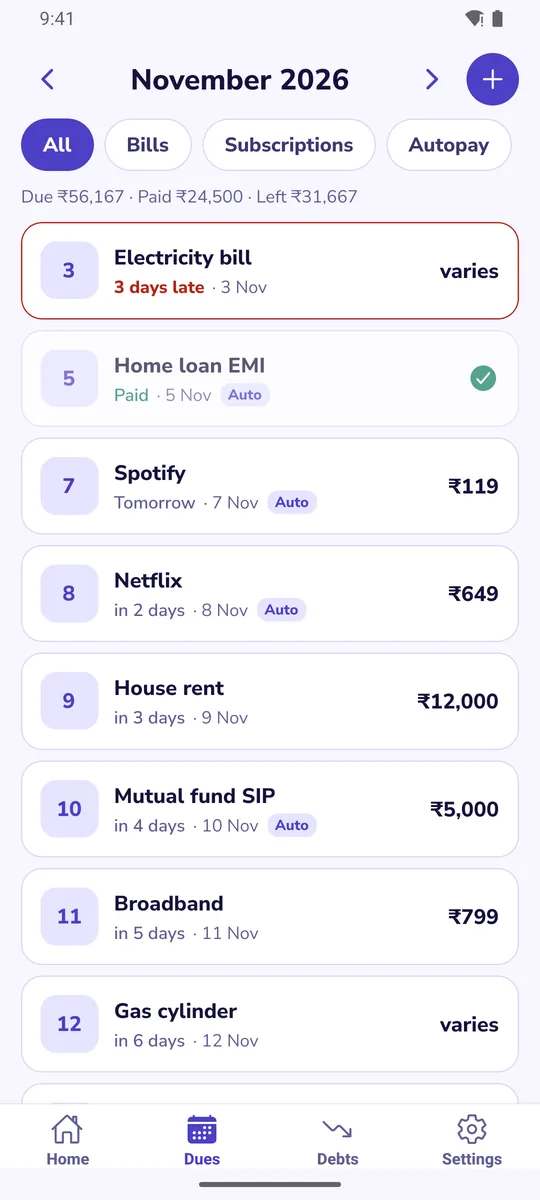
Add what you pay every month once. Duely reminds you before each due date and keeps the month in one view.
A reminder before each one
Choose the time of day and how many days before. The reminder says pay, or keep balance for an auto-debit.
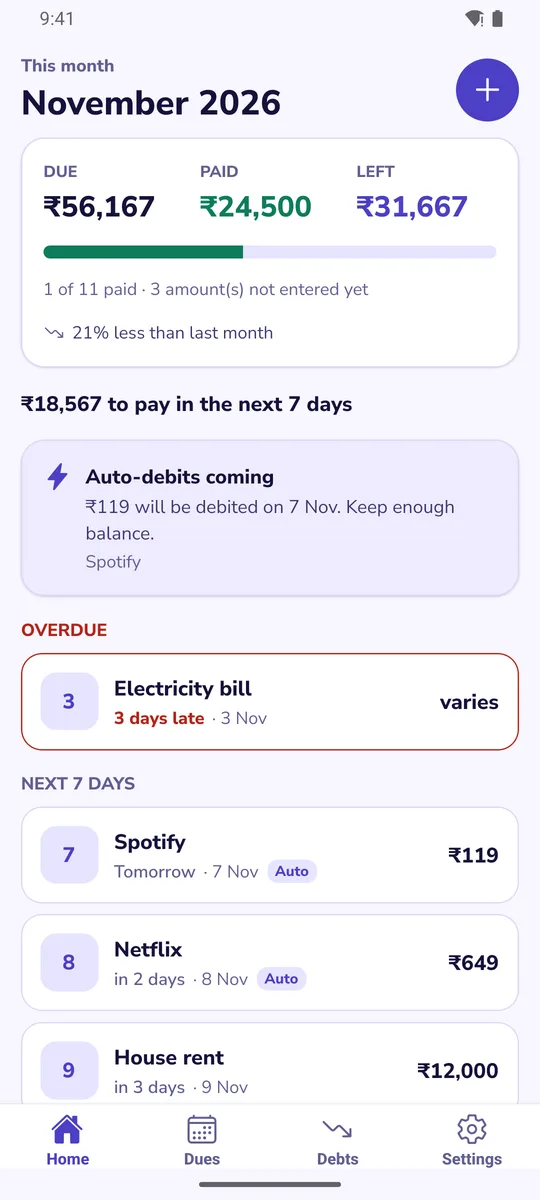
This month at a glance
What is due, what you paid and what is left, plus everything due in the next 7 days.
Autopay is separate
Mark a payment as auto-debited. Duely warns you when several debits land together so you keep enough balance.
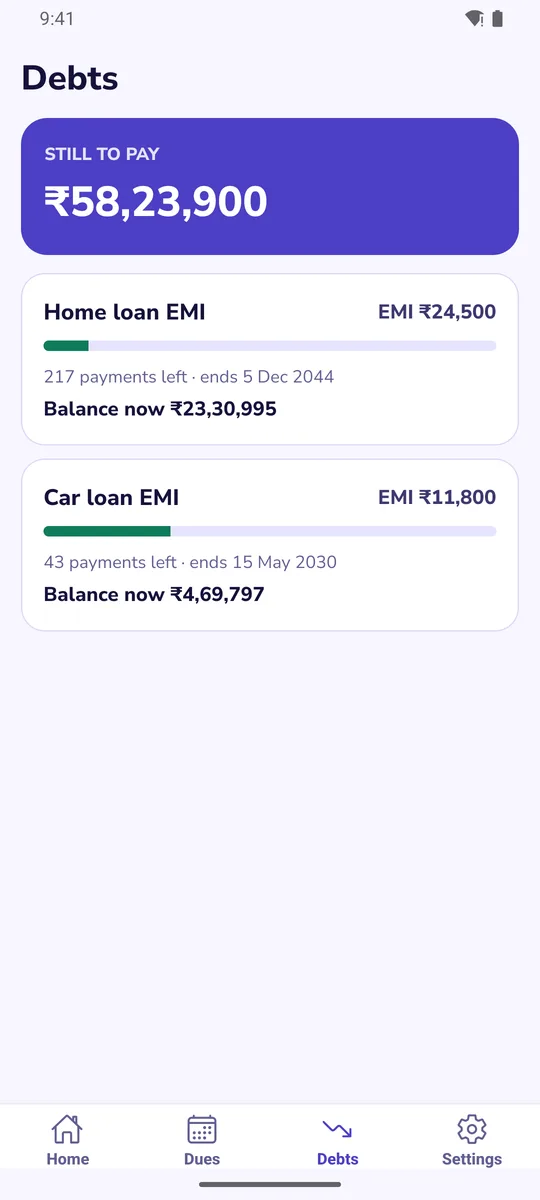
EMIs and loans
Enter the loan once. See the payments left, the end date, and what a little extra each month would save.
Subscriptions
See what your subscriptions cost per month and per year, with the renewal date.
Rent, bills, anything
Monthly, yearly, weekly, every few months or once. Amounts that change, like electricity, are entered when you pay.
How it works
1. Add a due
Start from a template such as Rent, Electricity or Home loan, or type your own. It takes under a minute.
2. Get reminded
Duely sends a notification on your phone at the time you choose.
3. Mark it paid
Tap Paid, with the date and amount. Your history and monthly totals build up on their own.
Questions
Does Duely connect to my bank or read my messages?
No. Duely does not link to a bank, UPI or card, and it does not read your SMS or notifications. You add each due yourself, and it stays on your phone.
Does it pay my bills?
No. Duely only reminds you and keeps a record. You still pay through your bank or app as usual.
Does it work offline?
Yes. Your list and your reminders work without internet. Internet is used only to show ads.
A reminder came late or did not come. What should I check?
Open your phone's Settings, Apps, Duely, and check that notifications are allowed. Some phone brands stop background apps to save battery, so also set Duely's battery use to unrestricted. Write to us if it still fails and tell us your phone model.
How do I keep my list if I change phones?
In Settings, choose Share a backup. It saves your list as text that you can keep in a note or send to yourself. On the new phone choose Restore from a backup and paste it. The backup contains names and amounts, so keep it somewhere private.
Are the loan numbers exact?
They are calculations from what you enter, not an offer or advice from a lender. Your bank's statement is always the exact figure.
Does it work on iPhone?
Not yet. Duely is for Android for now.
Is it free? Is my data safe?
Yes, it is free and supported by a banner ad. Read the privacy policy.